



After a collision, drivers usually think about visible evidence: skid marks, broken glass, dents, photographs, and witness statements. Modern vehicles can contain another category of evidence that is easier to overlook. Electronic systems may preserve information about vehicle movement, driver inputs, warnings, navigation activity, paired devices, and the moments surrounding the impact.
No single system tells the entire story, and not every vehicle stores the same information. Even so, knowing where digital evidence may exist can make a crash investigation more accurate.
Contents
- Event Data Recorders Capture a Short Window
- What EDR Data Can and Cannot Show
- Infotainment and Connected-Vehicle Systems
- Dashcams and Driver-Assist Cameras
- Phones, Apps, and Wearable Devices
- Why Preservation Must Happen Quickly
- Practical Preservation Steps
- Professional Retrieval and Chain of Custody
- Technology Adds Evidence, Not Certainty
Event Data Recorders Capture a Short Window
An event data recorder, or EDR, is sometimes described as a vehicle’s “black box.” The comparison is useful, but imperfect. An EDR is not a continuous audio or video recorder. It is designed to store a limited set of technical data when a qualifying event occurs.
The National Highway Traffic Safety Administration explains that EDR information may include pre-crash vehicle dynamics, driver inputs, the vehicle’s crash signature, restraint use or deployment, and certain post-crash information. The recorded window is generally measured in seconds, not minutes.
Federal rules in 49 C.F.R. Part 563 establish uniform requirements for many vehicles that are equipped with EDRs, including how specified data is recorded and retrieved. The rules do not mean that every vehicle records every possible data point, so the vehicle’s model year, make, configuration, and event conditions matter.
What EDR Data Can and Cannot Show
Depending on the system, EDR data may help investigators evaluate vehicle speed, throttle position, brake application, steering input, change in velocity, seat-belt status, or airbag deployment. That can be valuable when drivers disagree about whether someone braked, accelerated, or was moving at a particular speed before impact.
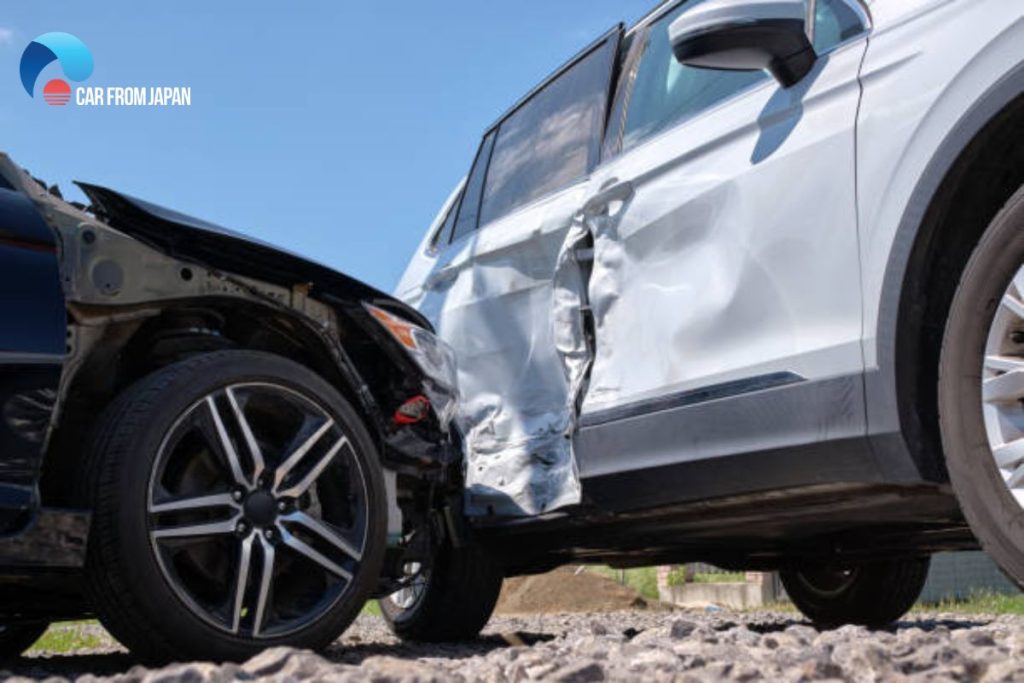
The data still requires interpretation. A recorded speed may need to be compared with tire size, vehicle condition, road grade, physical damage, and the recorder’s technical specifications. EDR data also does not explain why a driver acted. It cannot, by itself, determine distraction, impairment, visibility, or legal fault.
Infotainment and Connected-Vehicle Systems
A vehicle’s infotainment system can contain a different kind of digital footprint. Depending on the vehicle and user settings, it may retain recent destinations, route history, paired-phone information, call or message metadata, device connection times, and system events. Connected-vehicle services may also generate crash notifications, diagnostic alerts, location records, or time-stamped account activity.
Availability varies widely. Some records remain in the vehicle, some are stored by a service provider, and some exist only in a mobile app or account. Privacy rules, account ownership, and contractual terms can affect access. Investigators should identify the system before assuming the data exists or can be retrieved.
Dashcams and Driver-Assist Cameras
Dashcams may record the road, the cabin, or both. Some save a protected clip when an impact sensor is triggered, while others continuously overwrite the oldest footage. A memory card can therefore contain decisive evidence one day and nothing useful after additional driving.
Driver-assistance systems use cameras, radar, and other sensors for features such as automatic emergency braking, lane support, or collision warnings. The vehicle may store diagnostic codes or event information associated with those systems, but it should not be assumed that every sensor stream is saved as retrievable video.
Phones, Apps, and Wearable Devices
The phone in a driver’s pocket can add context. Call logs, messages, navigation activity, screen-use data, photographs, and app records may help establish a timeline. Rideshare and delivery apps can show whether a driver was logged in, waiting for a request, traveling to a passenger, or completing a delivery.
Digital evidence should be handled carefully. Reviewing ordinary account information is different from conducting a forensic extraction, and access may require consent, a legal request, or a court order. Deleting, editing, or selectively preserving records can create credibility problems.
Why Preservation Must Happen Quickly
Many digital systems were built to operate a vehicle, not to preserve evidence for a future dispute. Dashcam footage can be overwritten. A totaled car can be sold or dismantled. Repairs can replace electronic modules. Telematics providers and nearby businesses may keep records for only a limited period.
For people gathering evidence after a Denver car accident, early preservation can include identifying the tow yard, photographing the vehicle and dashboard, saving dashcam files, recording connected-app notifications, and locating nearby cameras before footage disappears.
Practical Preservation Steps
A driver can take several reasonable steps without attempting a technical extraction:
- Photograph the vehicle exterior, interior, instrument panel, warning lights, and visible devices
- Write down where each vehicle was towed and who controls access to it
- Remove and safely copy dashcam footage without editing the original files
- Save screenshots and exports from connected-vehicle, navigation, rideshare, or delivery apps
- Back up the phone and avoid deleting messages, calls, photographs, or location history
- List nearby businesses, homes, intersections, or buses that may have recorded the crash
- Avoid authorizing destruction or major repairs until relevant evidence has been documented
Professional Retrieval and Chain of Custody
EDR downloads and infotainment examinations often require specialized equipment and training. A qualified examiner should document the vehicle identification number, module, software, cables, date, procedure, and original data file. That record helps show that the information came from the correct vehicle and was not altered.
The best investigations compare electronic data with physical evidence. Crush patterns, roadway marks, photographs, medical evidence, witness accounts, and vehicle inspections can confirm, qualify, or contradict what a digital record appears to show.

Technology Adds Evidence, Not Certainty
Modern cars can be valuable witnesses, but they are not all-knowing ones. Each system has limits, and the absence of data does not necessarily prove that an event did not occur. The safest approach is to identify potential sources early, preserve them lawfully, and interpret them alongside the rest of the crash evidence.
This article provides general information, not legal advice or a forensic protocol. Access to vehicle and device data depends on the technology, ownership, consent, privacy law, and the circumstances of the investigation.